Mobile Phone Photographs.

Have you got a smart mobile phone with a camera? Good. Do you take photographs with it? Do you try to take artistic photographs with it as opposed to “record shots” (not that there is anything wrong with doing that – millions of us do it)? So do I and I have recently been playing with some of the free and paid photo apps that are available for Android phones on Google Play. (Many of the apps are available for iPhones through the usual channels for iPhone apps) I am having a wonderful time and the experience has increased my creativity – whether my efforts are any good or not remains to be seen but I am feeling more creative.

If you are trying to create something from your phone pictures you need to use some apps because with the best will in the world 5,10 or even 13 Megapixels from the tiny sized sensor on your phone is not going to give the same quality as the equivalent Pixel count on a Digital Slr or bridge camera due to technical limitations of physically small sensors – the apps help you to overcome those limitations by “covering up” digital noise and other aberrations 😉

I have tried several apps, some I have kept and some I wasn’t so keen on so deleted them. The ones that I use most often are Snap Seed – great for general editing and it has several creative effects, Super Photo – I started off with the free version but there are quite a few adverts and some of the best effects are unavailable unless you upgrade to the paid version (the paid version is about £2.50) which I did – the effects are much more pronounced and I will go to SuperPhoto when I want something arty – you cannot really make adjustments like cropping, brightness or saturation but it is good for effects, PicsArt which is good for making adjustments and it has some great effects – the thing that makes me use this one mostly is its ability to make your picture format square (for Instagram) without losing a bit of your picture, it does it by expanding your rectangular photo into a square and filling the extra bits with blur or colours – your choice. The first app that I downloaded was Photoshop express; I think that they call it something else now but it is free and useful. It has some good effects and you can edit cropping, brightness, saturation and a whole load of other things, and it is from Adobe. I have also downloaded Photo Lab (free), Photo Editor (free) and PicShop lite (free). There were others that I tried and deleted because they were too much like apps that I already had or they were very clunky and kept crashing. You just have to try a few and see how you get on with them and then if you like them, consider investing in the paid version if it is worth you while.

Here are a few of the photographs that I have taken On my phone and then processed with one or more of the apps:-

The majority of these have been through Snapseed, SuperPhoto or both –  the great thing is you can then send them directly to Instagram (which also has some good tools build in) , Facebook, Pinterest or to more or less any place that you have an account that you might want to share your photos to without having to bother with your computer.

Next I thought it would be a jolly wheeze to download photos from other cameras onto my phone with a view to using the same effects on them. Here are some of my efforts:-

As you can see I have managed to utilise many different effect onto what were “straight” photographs – effects such as “Banksy” (SuperPhoto), Photo in an old book and face in coffee cup (PhotoLab), Conte camera girl (superPhoto), And a couple of “Pop art” inspired shots (again SuperPhoto).

A word of caution though, often these apps will reduce the resolution of your full resolution photographs – even ones that say that they don’t – I had this problem with SuperPhoto, I wanted to use some of the new creations for printing and found that they were too small – I subsequently found that SuperPhoto do an App (paid – about £3.50) for Windows, so I bought that and I am a happy camper again. Another solution is to use a resizing Program on your computer, I use the one that comes with OnOne Phot0 10.

I had been curious about photography using my phone for some time but I was particularly inspired to indulge in after seeing a presentation at my local camera club by Gerry Coe. He is a Northern Irish photography expert who not content with Becoming a Fellow of the British Institute of Professional Photographers (FBIPP), a Fellow of the Royal Photographic Society, a Fellow of the Master Photographers Association and a Fellow of the Society of Wedding and Portrait Photographers, went on to gain a second FBIPP for his iPhone photography. His iPhone photography site is:-

Gerry Coe iPhone Photos

If you want to have a look at my Instagram stuff – search for paulcullenphoto

Gerrys instagram account is coeiphoneart

Why don’t you give it a try?
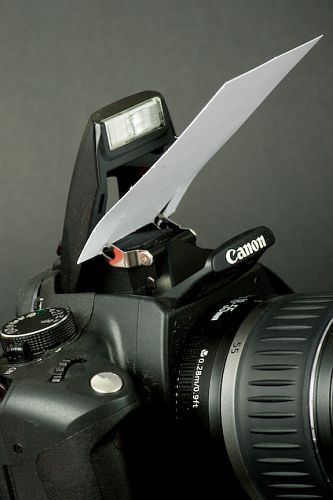
One way to avoid harsh contrast and red eye with on camera flash.

If you are anything like me you will dislike the harsh contrast, red-eye and blown out effect of on camera flash – it is never a good effect. In the absence of sufficient daylight it is often necessary to use artificial light and off-camera illumination is best. It is not always practical to carry the required kit but there is an inexpensive (and easy to carry) way to make the best of what you have got.

This is a technique that I have often used when photographing things for ebay but it can be used in many situations. It does depend on having a white ceiling above* you (other colours will create a colour cast of that colour) but it enables you to use that ceiling to create a softer and more pleasing light for your subject; the solution is portable and won’t break the bank. Personally, I use an C5 white envelope which gives even more diffusion but this solution is even more portable:-

601d62b9939b840d384c0050a7bdca60

It works by deflecting and slightly diffusing the light instead of it going directly ahead. The light is then reflected and further diffused by the ceiling. The diffusion and the fact that the light follows the same path (downwards) that we are used to from sunlight, makes the lighting more pleasing to the eye. You also avoid lots of light hitting the back of your portrait subjects eyes (red-eye).

*If you were to turn the camera through 90 degrees (portrait format) you would require a white wall (or other white reflector) to the side of the camera that the on-camera flash sits, in order to “bounce” the light back onto your subject in the same way that you used the ceiling.

This technique is a compromise but will vastly improve your results over direct on-camera flash. Happy snapping!

(Photo source – Pinterest, Photographer unknown)

A few of the things to remember before releasing the shutter.

Always check for distracting details.168b5a4b2e23162a6bdb26f2b39a5e05

Watch for where shadows fall.

410be71790774264d0ae36dc72c3c027

We might all take photographs but not everyone is a photographer.

26528cd977c03a167a6403f89d773be6

It is important to capture people at their best.

d25c40544935d359dc3482230900f7b0

Have a good day.

Sliced Cucumber Background larger slices – Picfair

via Sliced Cucumber Background larger slices – Picfair.

My first sale on Picfair. Just click the link to see what I’m making such a fuss about. You might want to look around to see what else I have on offer.

They say you never forget your first time!

I’ve had a good week on – Picfair

via Surfer at Lynmouth. – Picfair.

The above image was picked for a Picfair award earlier this week. It was picked 16th out of 25 in an Online exhibition called “Hot and Cold” and it has been trending on their home page all week. I am very pleased. It has now had 639 views – the most by far of any of my Photographs on the site.

If that wasn’t enough, I found out this evening that I have made a sale of another of my photographs on Picfair – this time it was of a background of backlit sliced cucumber – it looks way better than it sounds.

Hot and cold – Picfair

via Hot and cold – Picfair.

My image “Surfer at Lynmouth” has been chosen by Picfair as one of 25 to receive special attention in their “Hot and Cold” themed presentation and has earned me a Picfair award – I am really excited and what is more, it has attracted a lot of attention as a result. Thank you Picfair.

Only a Rose

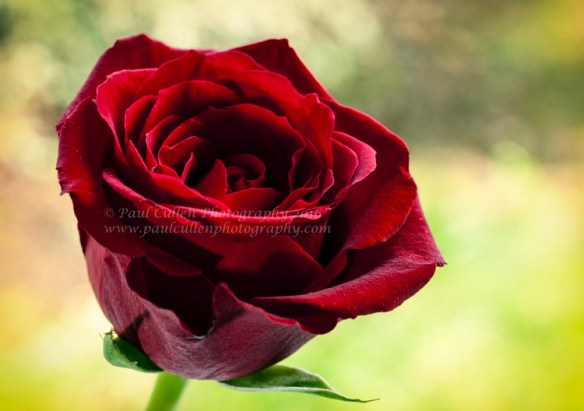
Red Rose Vintage style

Beautiful red Rose given a Vintage effect.

I have continued the floral theme and having done with the Tulips decided to look for another subject – I didn’t have to look very far so soon after Saint Valentine’s day – I spied a bunch of roses on the window sill that had been received by my wife on the 14th of February. I must admit being a little curious where they came from – maybe I should investigate, but I have been so busy. ( I know where they came from really, and this time they were bought with her as the first thought – honest!)_DSC5686 antique.jpg

So there were these roses and it was a bright and sunny day, so I decided to take them outside and photograph selected ones against an out-of-focus green hedge, but it turned out to be a bit breezy and I was going to have to use a very slow shutter speed if I was to use an iso of 100 for maximum quality – I wanted to shoot in the shade as the direct sun would have given harsh shadows. I decided to photograph them on a window sill inside of the house. I needed something to fill in the shadows on the inside because there was too much contrast between the window light and the inner side.

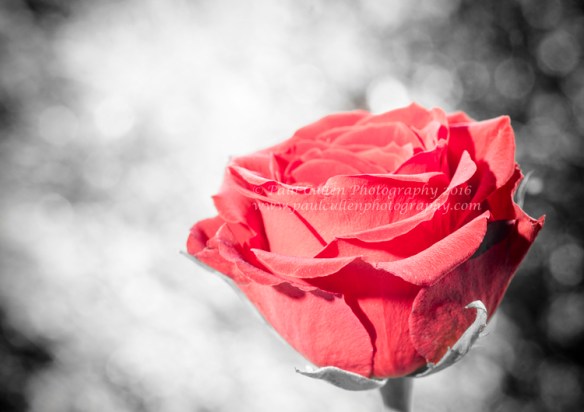
Red Rose colour isolated.

Red Rose colour popped.

At first, I tried a home made reflector (flat baking tray covered in crinkled cooking foil) but I wasn’t quite getting the effect that I was looking for so I used used a speed light type camera flash connected to my camera with a curly cord so that I could move the direction of the light around for best effect.

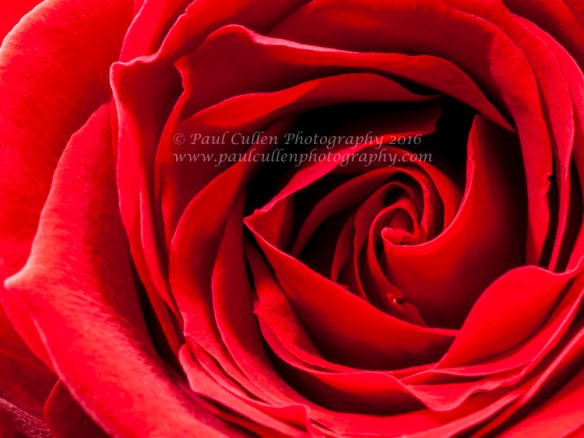
Red Rose Close-up

Red Rose Close-up detail saturated with differential focus – Landscape format

In the end I really only used one or two of the roses for this project, partly because the leaves of some of the roses were starting to split – you often don’t notice that sort of thing unless you get very close up, or are editing the results at 100%! I have posted a few here but to see the whole collection, visit my website using the link below. You will find them on pages 7 & 8 – Enjoy!

via Paul Cullen Photography | Floral Gallery..

More Tulips

I’ve had a bit of a busy day today, sorting out some more Tulip photographs – I do hope that I am not boring you…..

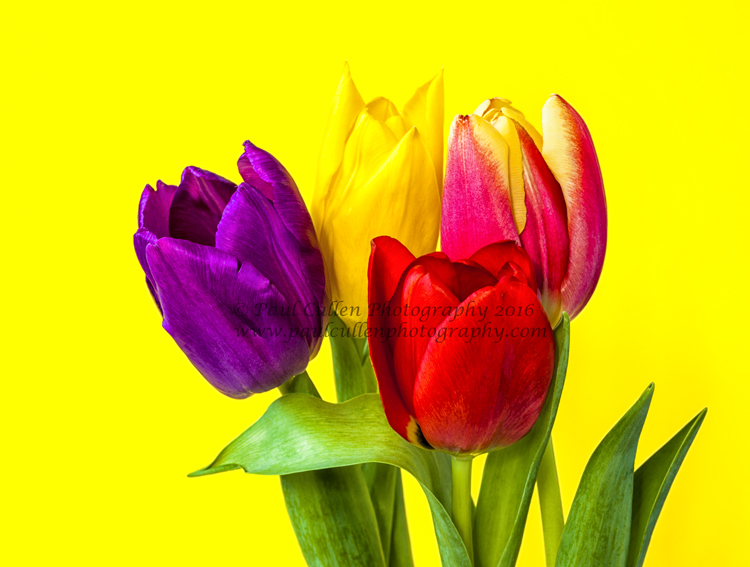
All taken in natural light with a reflector opposite the main source and coloured card behind the flowers. Oh, I did have fun…

Tulips on a yellow background.

Tulips on a yellow background.

I definitely got my moneys worth out of them and what is more, my wife thought that I bought them for her (no, I don’t think that I managed to fool her really!) I had two attempts at photographing them over two days.

Two colourful Tulip flowerheads on a black background.

Two colourful Tulip flowerheads on a black background.

I would like to think that they have a different feel to them despite using some similar methods. I went for a more three dimensional effect this time.

Three colourful Tulips on a dark blue background.

Three colourful Tulips on a dark blue background.

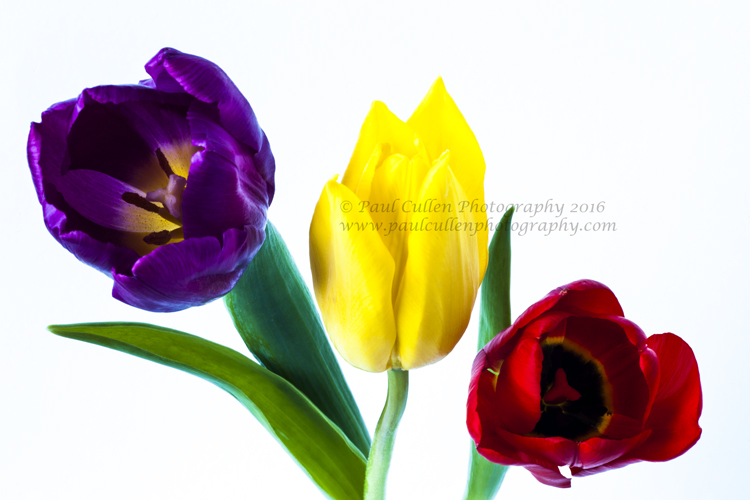
Three colourful Tulips on a white background.

Three colourful Tulips on a white background.

Experimenting, yet again with a range of coloured backgrounds – all A2 size coloured card from Rymans – (other stationery shops are available). I have even tried a bit of focus stacking, but I haven’t processed them yet so I’ll save them for another post.

I was quite pleased that I achieved the vibrant effect that I was looking for and now I have distributed them onto Fine Art America – where people can make framed prints, bags, phone covers, duvet covers and a whole lot more from my photographs – and, if I’m honest other peoples photographs and other artworks:-

flower framed prints for sale

I have also put them on Photo4Me

You will remember that I wrote recently about joining them. I have well over 100 photographs on there now.

And, 500px Prime

God loves a trier!

In addition, I have also shown them on Flickr, Pinterest and on my Facebook Fan Page – See I told you I had been busy.

Photo project – three of a kind.

The camera club that I belong to Beeston Camera Club is always on the lookout for new and interesting ways in which to engage the members in activities as well as turn up for the great variety of interesting and varied speakers which have been hand-picked from fine photographers from near and far. One such activity was to create a photo project which was to be constructed from three separate photographs. We were sent some examples but the brief was very open (and essentially open to interpretation). The resulting works were presented to the members at a “members evening” last Thursday, the 11th February 2016. Several members produced works for the event. The result was wonderfully diverse in terms of interpretation. I contributed five works and had great fun doing them – here they are:-

Triptych 1

This was my first attempt. It is made up of the same image but in the three instances the image was given a different treatment in Photoshop with Nik Color Efex pro  4 and Nik Silver Efex pro 2 plugins.

Triptych Tulips

Next, I decided to use some square images that I had produced. This time it is three separate images/compositions and they were given different treatments in Photoshop and Nik Plugins. It started as just the three squares but it looked a bit long and thin so I extended the canvas above and below and coloured the extensions black. I think that it looks quite effective, but then I don’t let ’em out until I am happy with them! I was only going to enter one and this was my choice, but was encouraged to send more, so I sent my first work together with three further works after contributing this one.

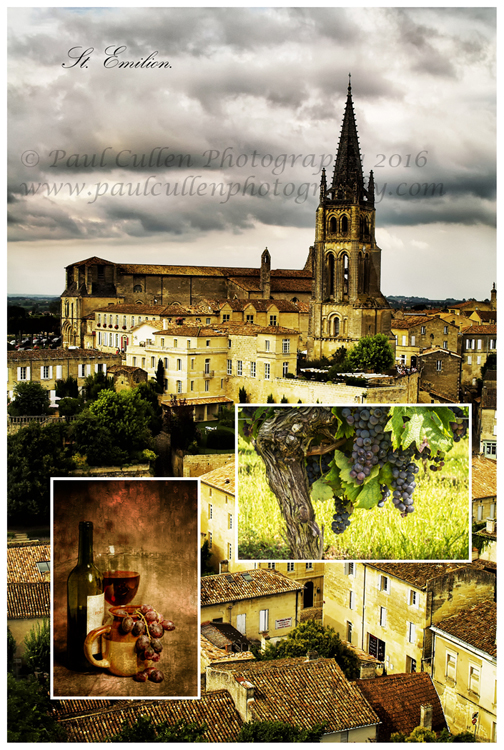
Saint Emilion, one of the great Bordeaux wine regions and a beautiful place to visit. Saint Emilion is found to the North-east side of the City of Bordeaux, Aquitaine, France.

Saint Emilion, one of the great Bordeaux wine regions and a beautiful place to visit. Saint Emilion is found to the North-east side of the City of Bordeaux, Aquitaine, France.

I thought of a wine theme with this one. The larger background image is of Saint Emilion, the very famous wine region – part of the Larger Bordeaux region in Aquitaine, France. I have been there several times now and it is always a pleasure. It is a beautiful village, even if you are not interested in wine you will enjoy a visit. The grapes on the vine was actually taken outside of Bordeaux (not far) in a village called Villeneurve de Duras in the Cotes de Duras wine area, not far from Bergerac – it is one of my best sellers on Shutterstock and has sold all over the world. (I did take some photographs in the centre of St. Emilion and some of those have sold too). The third photograph was a still life photograph that I made and then put it through Smart Photo software from Anthropics to give it an older look.


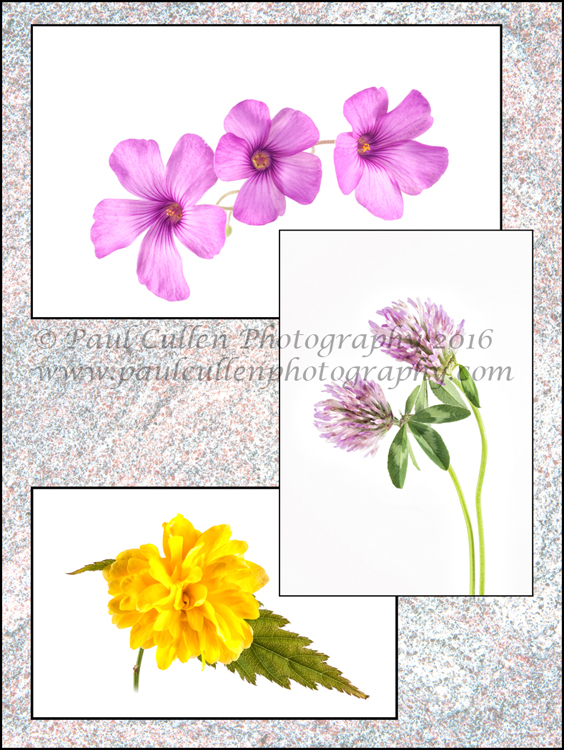
A mixture of Oxalis, Kerria and Clover on a textured background.

A mixture of Oxalis, Kerria and Clover on a textured background.

A while ago I went out and picked some flowers – the Oxalis and the Keria grow in my garden – the clover from the Local nature reserve and I photographed them on a white high-key background in a light tent. The textured background was the back of a red granite grave stone. I changed the blending properties on that layer and altered the opacity (and probably the brightness). The flowers were placed onto the background by copy and pasting them.

Turbulence in Water - Abstract

Turbulence in Water – Abstract

Finally, the theme for this one was waterfalls. The background image was an abstract of flowing water from Aira force, approachable from the north side of Ullswater, Cumbria. Aira Force is a National Trust managed series of lots of waterfalls. The image in portrait format with the bridge is the first substantial waterfall that you come across as you ascend Aira Force – I would have been happy with just this one, but there are more falls – lots more culminating in a huge wide torrent at the top. The other photograph was taken at Watersmeet near Lynton and Lynmouth, Devon and is within the Exmoor National park.

I am sure that I haven’t done my last three in one composition; I enjoyed myself so much with this photography project that I am keen to explore more possibilities – why don’t you give it a try?
Results in from PhotoArt, Prague

Congratulations to my friend Jacqui Jay.