What do you think of infrared photography? Most people associate it with contrasty black and white images but increasingly we are seeing lots of coloured infrared images – some people dislike them as they don’t look normal – it is true that they challenge ones perception of colour but I love them and I wanted to tell you about my journey with digital infrared photography. It began in 2009 when I attended a photographic workshop with Lee Frost (Photographer, Photo Mag journalist, author and all round nice guy). He loaned out his Canon 20D which had been converted to record the infrared spectrum of light – I use the term loosely, as I’ll explain later. There is a filter over the digital sensor which only allows visible light to hit the sensor – your pictures would have a strong red look without it. With a converted camera, this filter is removed and replaced with a filter that allows mostly the near infrared spectrum. Light travels in waves, as we know; we usually refer to them by the wavelengths. The wavelengths of the “colours” of visible light are as follows:-
- Violet 380 nanometers (nm) to 450 nm
- Blue 450 nm to 485 nm
- Cyan 485 nm to 500 nm
- Green 500 nm to 565 nm
- Yellow 565 nm to 590 nm
- Orange 590 nm to 625 nm
- Red 625 nm to 750 nm
The most common replacement filter is probably allows 720 nm and above. After conversion, you have to reset the white balance and it is possible to make you camera produce black and white .jpgs straight out of the box.
So, I borrowed Lee Frosts converted camera and then played with the RAW files in Lightroom when I got home, and I was hooked. I quickly purchased a second hand Infrared converted camera and set about producing very contrasty black and white photographs. I loved it. I continued to do so for several years.

This image was created at Porlock Weir in West Somerset and I processed the RAW file for this image to make it black and white in Lightroom. There are many different ways to do this but I think that I just turned the saturation slider right down and boosted the contrast.
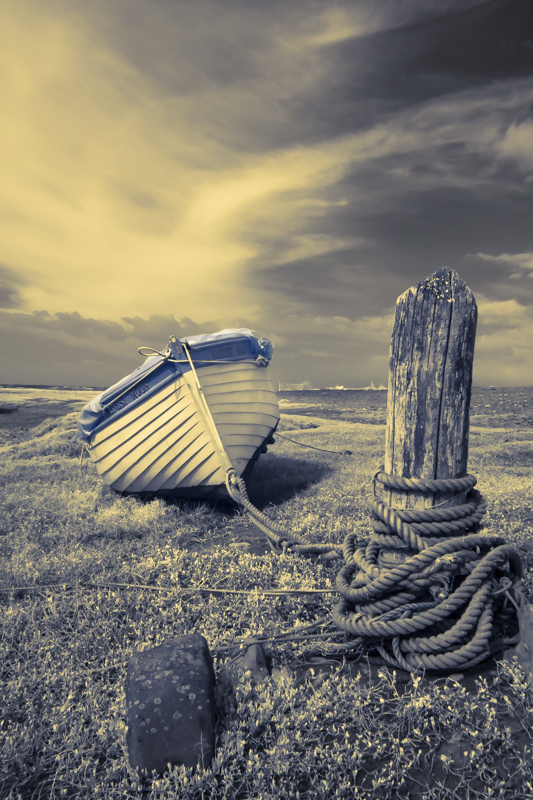
When you open out the RAW file in lightroom, it will often have a brown or bluey grey colour and there may be some colour present. I hadn’t set up a camera profile at this stage. I will reveal a method for doing that in a later post, but at this stage, I was just playing. This is an example of how my RAW files looked:-
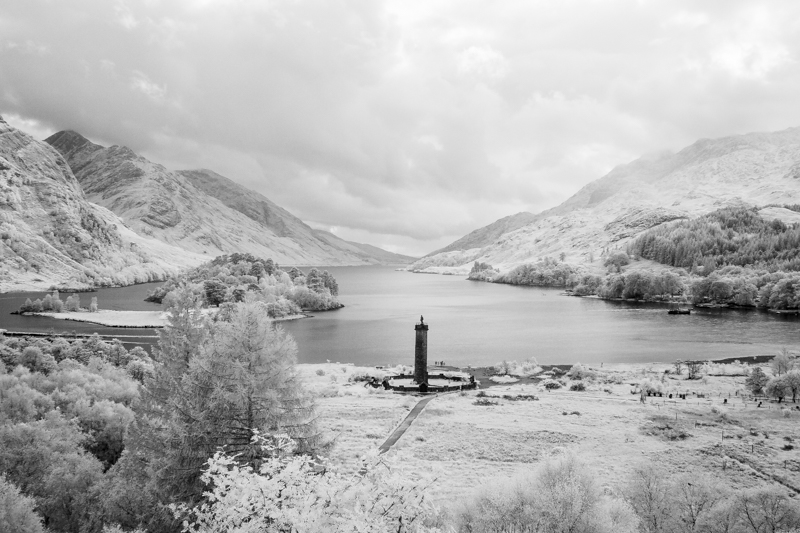
Other examples of my black and white infrared images:-


Recently, I discovered how to process my infrared RAW files to produce coloured infrared images and I will write about those soon – how to create them (my method, at least), I will show examples of what happened when I processed these images as colour and what I did next. Please come back soon.
 Paul Cullen Photography